
Your subscription, explained
What’s included in your website support plan
Both SiteOwl plans cover one Elementor website or Shopify store. Compare the task allowances, explore common requests and see which projects need a separate quote. Routine WordPress, theme, plugin and Elementor updates apply to Elementor websites.
A clear change. A useful result.
These examples show the kind of work you can request. Basic includes simple page-title, meta-description and image alt-text edits within its three monthly tasks. Pro also includes focused heading and internal-link improvements, image optimization and small performance fixes. Each request must fit your plan’s time allowance.
“Replace the prices on our services page.”
“Add Maya to our team section.”
“Fix the spacing in this mobile section.”
“Point this button to our new booking page.”
“Publish this finished blog post.”
“Add a service using this existing layout.”
Shopify & WooCommerce updates
Basic covers focused edits to existing product text, prices and images within its three monthly tasks. Pro also covers simple product additions, collection or category changes and small changes to existing store sections. Supply the approved details; each request must fit the plan’s time allowance and is handled one at a time.
WordPress maintenance is included, too.
For Elementor websites, both plans include routine WordPress, theme, existing-plugin and Elementor updates. For Shopify, we work on your store’s content and existing theme; Shopify hosting, paid apps and theme charges are separate. Hosting administration, malware removal and emergency recovery are outside the subscription.
One request. One clear outcome.
Tell us what you want changed, where it appears, and provide any text or images we’ll need. Related edits that achieve the same outcome can go together. Different outcomes should be sent as separate requests.
Update the homepage pricing section.
Update pricing, publish a blog and fix the menu.
Each plan covers one Elementor website or Shopify store, with one active task at a time. Basic includes 3 focused tasks per calendar month, up to 30 minutes each. Pro allows unlimited small-task requests, generally up to 60 minutes each. Target turnaround starts after the task is agreed and all access, content and instructions are ready: 1–2 business days on Basic and priority 1 business day on Pro. Missing information or a separate scope can extend that time. Unlimited requests do not mean simultaneous work or unlimited project scope.
A little detail helps us get it right.
Keep the brief, content and feedback together in your client portal. Use the checklist to make your request easy to follow.
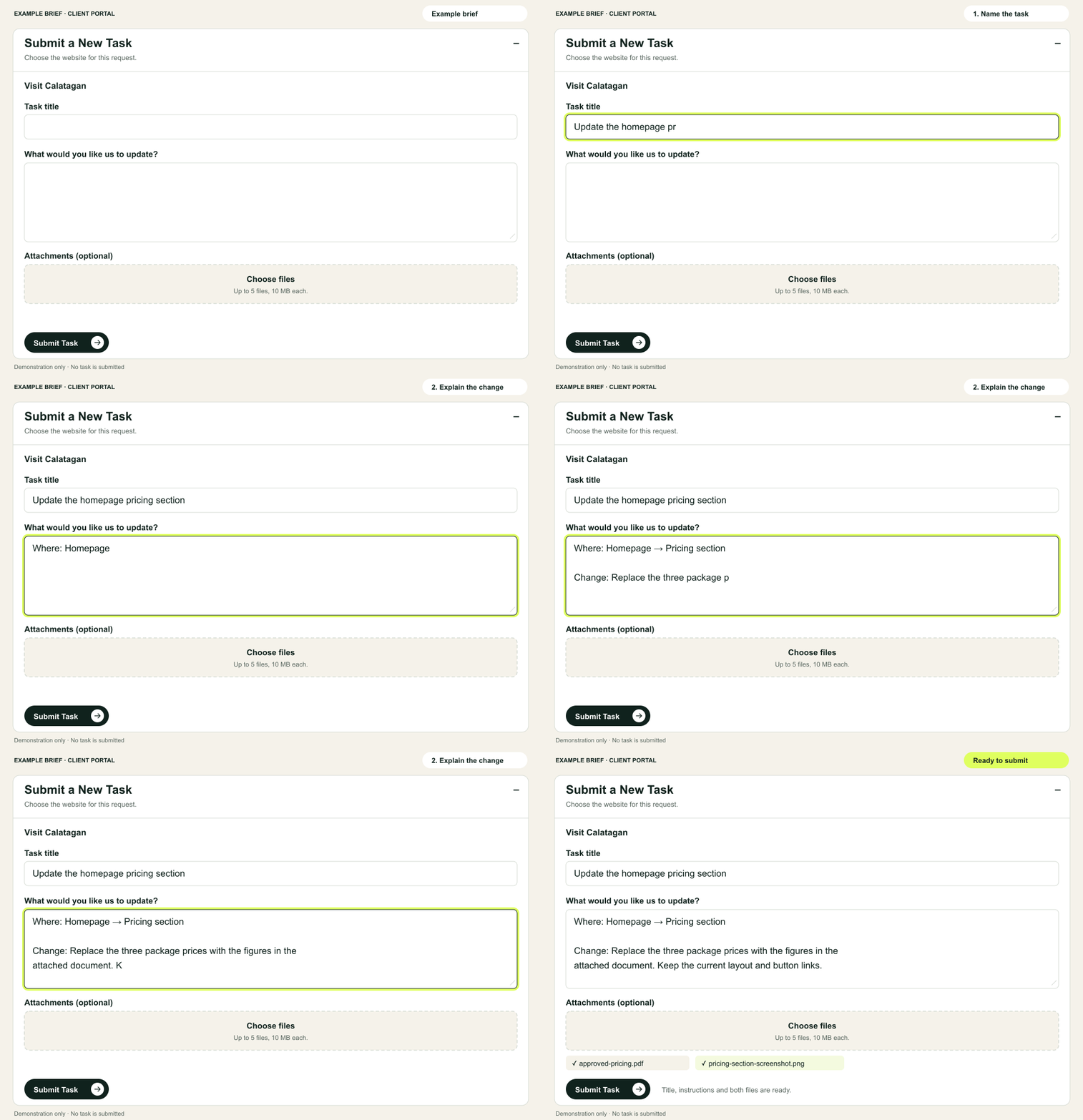
The exact page or section
The outcome you want
Final copy and files
Any layout reference
Some work needs a separate scope.
Subscriptions cover focused updates to your existing website. Full-site SEO audits, keyword research, ongoing SEO campaigns, extensive page optimization, caching conflicts and substantial performance troubleshooting need a separate quote. Hosting and server work remain outside the subscription. We confirm the scope and price before starting larger projects.
- Complete website builds
- Full redesigns
- Custom post type
- Custom post template
- Custom page designs
- Hosting and server administration
- Ongoing SEO campaigns